Navigate to Settings > Personal > Sharing > Files.
Click on Choose file or folder to transfer >> A file picker opens, showing all files and folders in the user’s account.
Pick a file or folder and click on Choose >> The chosen file or folder name gets displayed.
Click on Change to change the choice if necessary.
Pick a new owner by typing their name into the search field next to New owner.
Click on Transfer.
The target user receives a notification where they are being asked whether to accept or reject the incoming transfer.
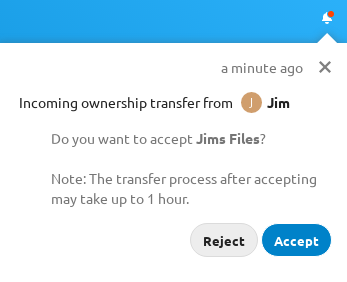
If accepted, the target user finds the transferred files and folders in their root under a folder Transferred from [user] on [timestamp].
The source user gets informed about the acceptance or rejection by a notification.